
Project Highlight #1: Real-Time Snake Game with Tkinter GUI
This project is a real-time implementation of the classic Snake game developed in Python as part of the CPEN 333 course. Python’s built-in threading, queue, and Tkinter libraries were used, with the GUI serving as a visualization layer, and the back-end systems managing game flow, movement, and state tracking.
Overview
The snake moves in a grid, responding to real-time keyboard input controlled by the player using the arrow keys. Each movement step is handled in a background thread and passed to the GUI via a thread-safe queue. Prey spawns in valid locations away from walls, the scoreboard, and the snake itself. When the prey is captured, the snake grows and the score increases. The game ends when the snake hits the wall or itself.
Core Components Include: a continuous movement loop (superloop), directional logic and boundary-aware movement, prey spawning with spatial constraints, collision detection for walls and self intersection, and task queue to sync logic and rendering
Gameplay Example
This screenshot shows the game running in real-time. The pink snake is actively moving, the prey is visible in the play area, and the live score is displayed at the top.

Snake Movement and Growth Logic
Snake movement is handled by shifting a list of (x, y) coordinate tuples. At each step, a new head coordinate is added based on direction, and the tail is removed unless prey was just captured.
def move(self):
    new_head = self.calculateNewCoordinates()
    self.snakeCoordinates.append(new_head)

    if prey_captured(new_head):
        self.score += 1
        self.queue.put_nowait({"score": self.score})
        self.createNewPrey()
    else:
        self.snakeCoordinates.pop(0)

    self.queue.put_nowait({"move": self.snakeCoordinates})
    self.isGameOver(new_head)
Direction handling uses pixel-based offsets:
calculateNewCoordinates(self):
    x, y = self.snakeCoordinates[-1]
    if self.direction == "Up": return (x, y - 10)
    if self.direction == "Down": return (x, y + 10)
    if self.direction == "Left": return (x - 10, y)
    if self.direction == "Right": return (x + 10, y)
Prey Placement Constraints
Prey can only spawn in the allowed locations: away from walls, not under the scoreboard, and not on the snake’s body. This logic includes spatial filtering and grid alignment.
while True:
    x = random.randrange(THRESHOLD, WINDOW_WIDTH - THRESHOLD, 5)
    y = random.randrange(SCOREBOARD_HEIGHT + THRESHOLD, WINDOW_HEIGHT - THRESHOLD, 5)

    if x % 10 != 0 and y % 10 != 0 and (x, y) not in self.snakeCoordinates:
        break

self.queue.put_nowait({"prey": (x - 5, y - 5, x + 5, y + 5)})
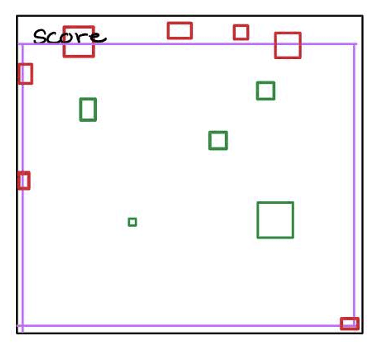
The diagram above depicts the prey placement. Green boxes show valid placements, red boxes are invalid such as on the wall, under the scoreboard, or on the snake’s body.
Collision and Game Over
Collision logic checks for wall boundaries and self-biting:
def isGameOver(self, coord):
    x, y = coord
    if x > WINDOW_WIDTH or x < 0 or y > WINDOW_HEIGHT or y < 0 or self.snakeCoordinates.count((x, y)) > 1:
        self.gameNotOver = False
        self.queue.put_nowait({"game_over": True})
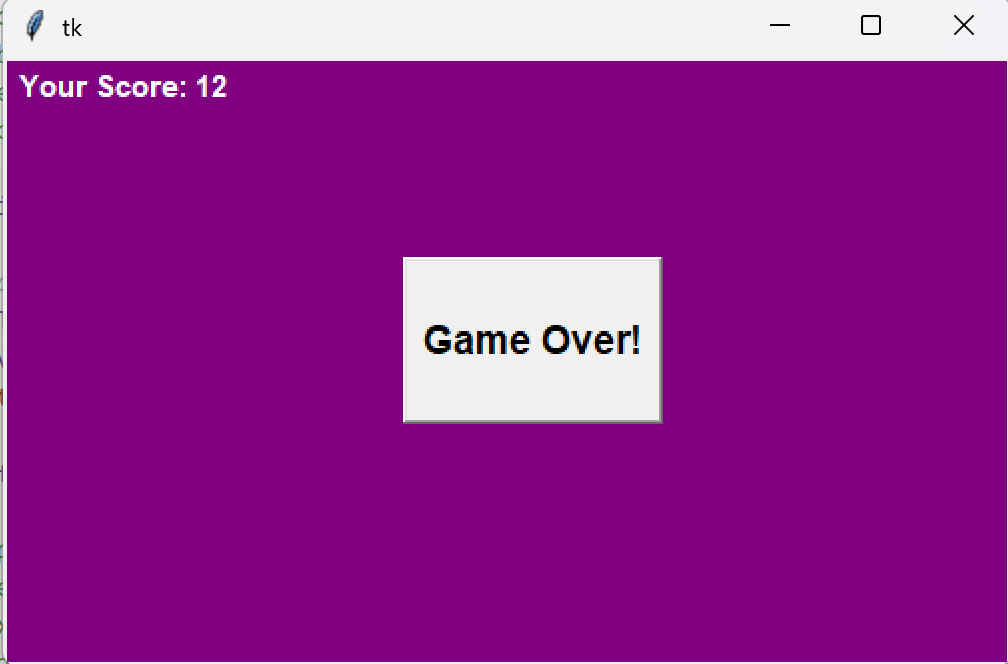
If a collision is detected, the game is ended and the GUI displays the “Game Over” notice which closes the window:
A Development Challenge and Solution
In an initial implementation, sometimes the prey wouldn’t register as eaten. This was resolved by adjusting the capture logic so the prey would be ‘eaten’ if the center of the it falls within the snake’s head width.
Capturing prey is determined by checking if the center of the prey lies within the snake head’s width, instead of relying on exact coordinate matches which in the initial implementation had proved unreliable due to slight misalignments. The final logic checks if the prey’s bounding box overlaps the head of the snake, as seen in the diagram below:
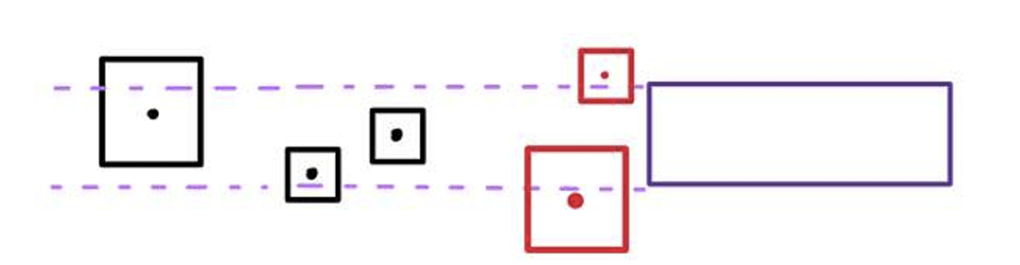
This prevents premature or missed captures and improves reliability. The prey is only replaced, and the snake only grows if this exact overlap occurs. Otherwise, the snake’s tail segment is removed to maintain its length. A snippet of code can be seen below:
prey_coords = gui.canvas.coords(gui.preyIcon)
prey_left, prey_top, prey_right, prey_bottom = map(int, prey_coords)

head_x, head_y = NewSnakeCoordinates

if prey_left <= head_x < prey_right and prey_top <= head_y < prey_bottom:
    # Prey is captured
    self.score += 1
    self.queue.put_nowait({"score": self.score})
    self.createNewPrey()
Event-Driven Architecture
The game logic runs on a background thread:
superloop(self):
    while self.gameNotOver:
        self.move()
        time.sleep(0.15)
Tasks are passed to a GUI-safe QueueHandler:
if "move" in task:
    gui.canvas.coords(gui.snakeIcon, *points)
elif "prey" in task:
    gui.canvas.coords(gui.preyIcon, *task["prey"])
This queue-based system ensures the UI thread never blocks on logic operations.
Based on the design of the game, some areas for possible further development include: adding a leaderboard using a dictionary-based high score tracker, implementing a “Play Again” button to reset the game state, randomizing prey and snake colors for visual feedback, making the snake speed increase as the score grows, and decreasing prey size over time to raise difficulty.
Project Highlight #2: 2048 Command Line Game
This project is a text-based recreation of the popular 2048 puzzle game, implemented entirely in Python and played through the command line. The focus was on board manipulation logic, merging rules, and user input handling.
Overview
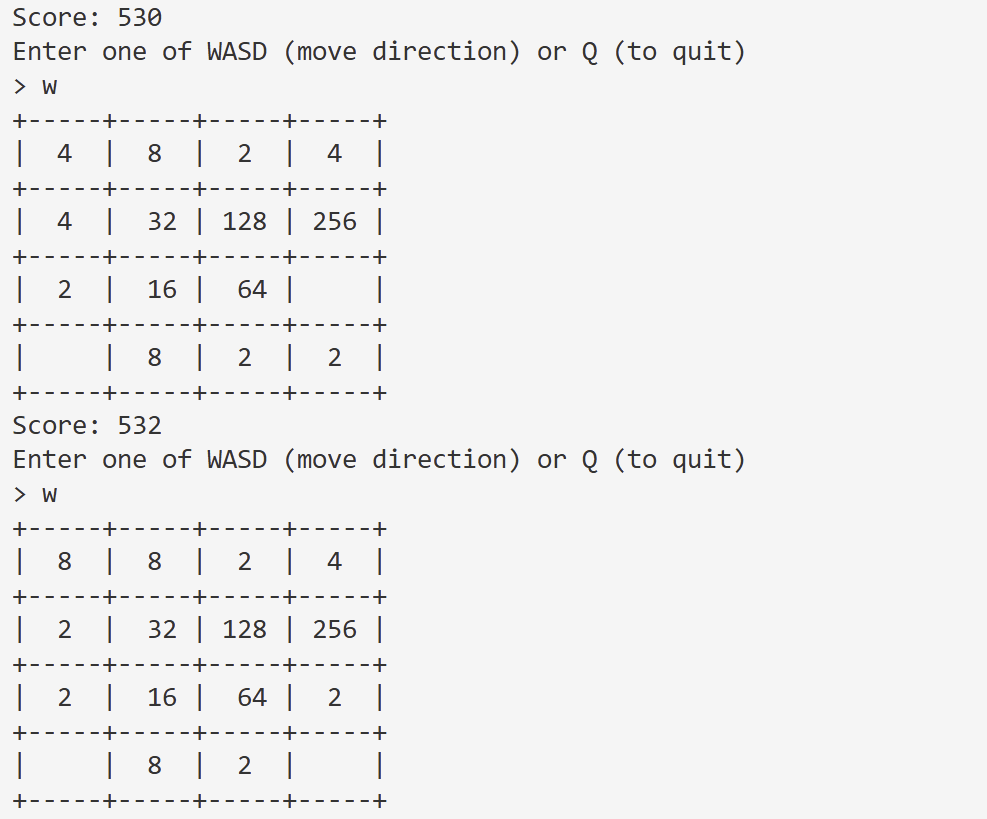
The player interacts using WASD keys to move numbered tiles across a 4×4 grid. Matching tiles combine and double their value, contributing to the score. After every move, a new “2” spawns in a random empty spot. The game ends when there are no empty spaces left.
Board Initialization
The board is stored as a 4×4 list of lists. Two starting “2” tiles are placed in random empty positions using random.sample()
def init() -> None:
    for _ in range(4):
        rowList = [''] * 4
        board.append(rowList)

    twoRandomNumbers = random.sample(range(16), 2)
    twoRandomCells = ((twoRandomNumbers[0]//4, twoRandomNumbers[0]%4),
                      (twoRandomNumbers[1]//4, twoRandomNumbers[1]%4))
    for cell in twoRandomCells:
        board[cell[0]][cell[1]] = 2
Movement and Merge Logic
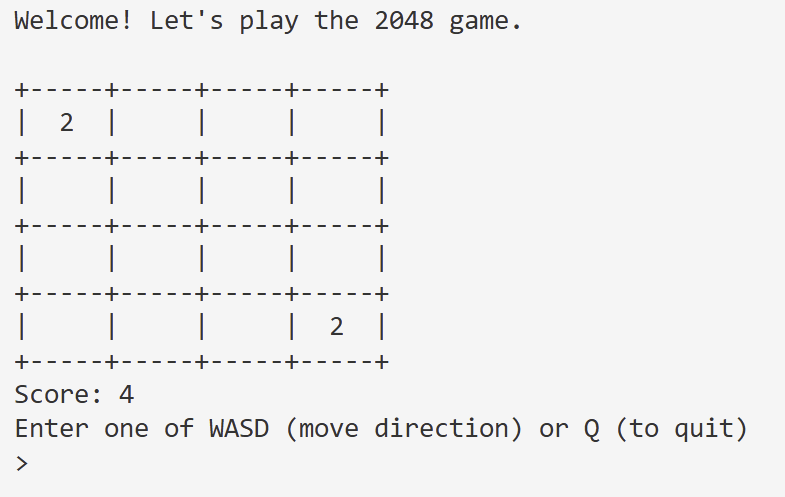
Each input direction (‘W’, ‘A’, ‘S’, ‘D’) triggers a sliding and merging operation either on rows or columns. Tiles slide toward the intended direction, and matching adjacent tiles merge.
def process_row_or_column(cells: list[int]) -> list[int]:
    new_row = [cell for cell in cells if cell != '']
    for i in range(len(new_row) - 1):
        if new_row[i] == new_row[i + 1]:
            new_row[i] *= 2
            new_row[i + 1] = ''
    new_row = [cell for cell in new_row if cell != '']
    return new_row + [''] * (4 - len(new_row))
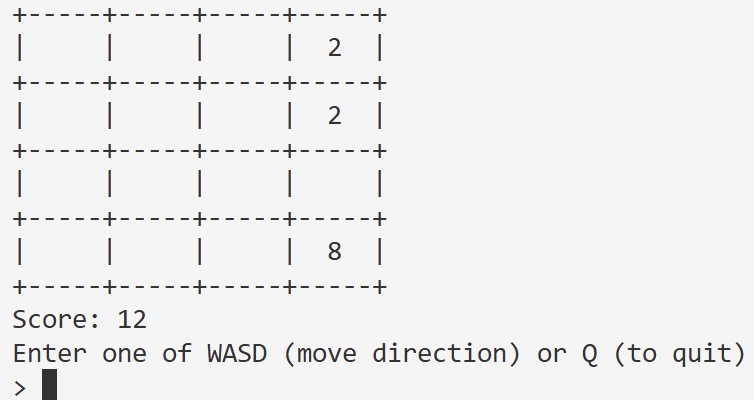
The function is reused for all movement directions by reversing the list for right/down and restoring the order after processing.
Side-by-side example of a board state before and after a merge:

Score Tracking
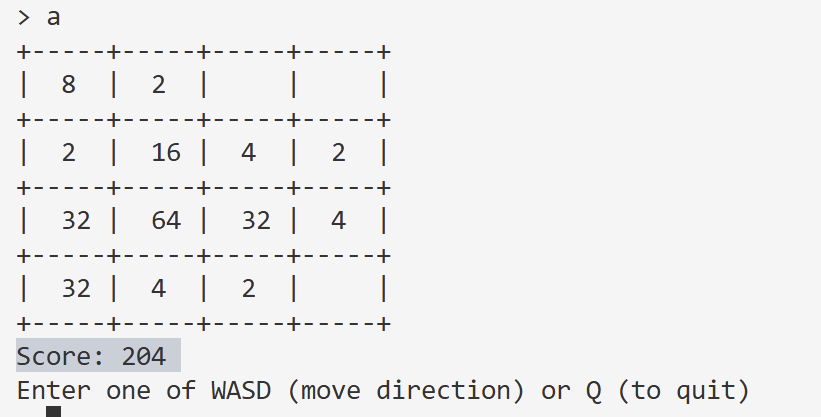
The current score is calculated by summing all non-empty cells on the board:
def getCurrentScore() -> int:
    total_score = 0
    for row in board:
        for cell in row:
            if cell != '':
                total_score += cell
    return total_score
The score is printed each turn alongside the updated board.
New Tile Spawning
After each valid move, a new “2” is placed in a randomly selected empty tile:
def addANewTwoToBoard() -> None:
    empty_cells = [(r, c) for r in range(4) for c in range(4) if board[r][c] == '']
    if empty_cells:
        r, c = random.choice(empty_cells)
        board[r][c] = 2
This randomness adds challenge and variability, forcing the player to strategize around board space.
Game Over Detection
The game ends when there are no empty cells left:
def isFull() -> bool:
    for row in range(4):
        for col in range(4):
            if board[row][col] == '':
                return False
    return True
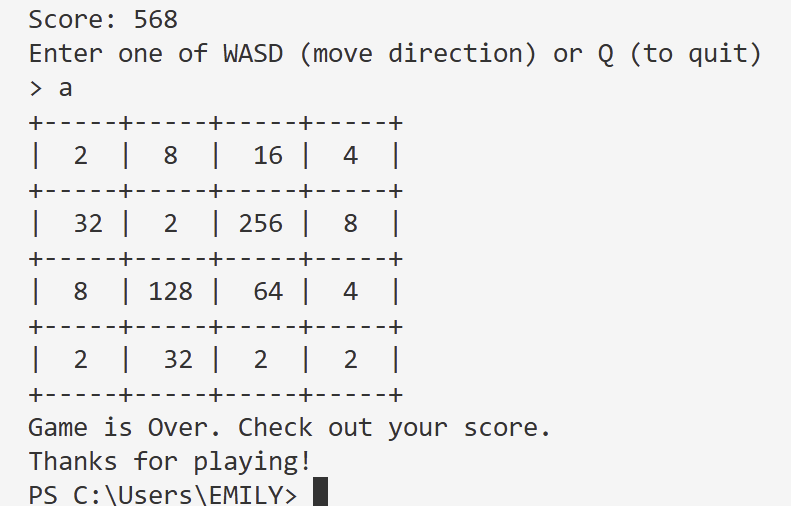
This project provided a hands-on way to explore logic-based game mechanics using Python. It strengthened my understanding of list manipulation, merging algorithms, and input handling in a terminal environment.
 Emily Millard